It’s the start of a new semester, which means it is a great time to explore new ways to engage students. Video assignments are an excellent tool for this, allowing you to leverage the learning technologies available to you at VIU.
If you are thinking about creating video assignments for your course, consider the following:
- What is your students’ level of access to and comfort with recording hardware?
- How will students be submitting their videos?
- How simple or complex is the video? Will they be able to submit a raw recording, or will they need to use editing tools?
Understanding your students’ comfort levels with recording technology will impact how you design the assignment. Do they primarily use mobile devices, or do they have access to laptops and other hardware? A great way to gauge this is by creating a simple, low-stakes video assignment, such as a video introduction.
This trial run can help answer key questions before you commit to larger projects: Did anyone have trouble recording? Were there issues submitting the link? What FAQs arose? Gathering this information early is especially useful if you decide to contact us for help developing your assignments further.
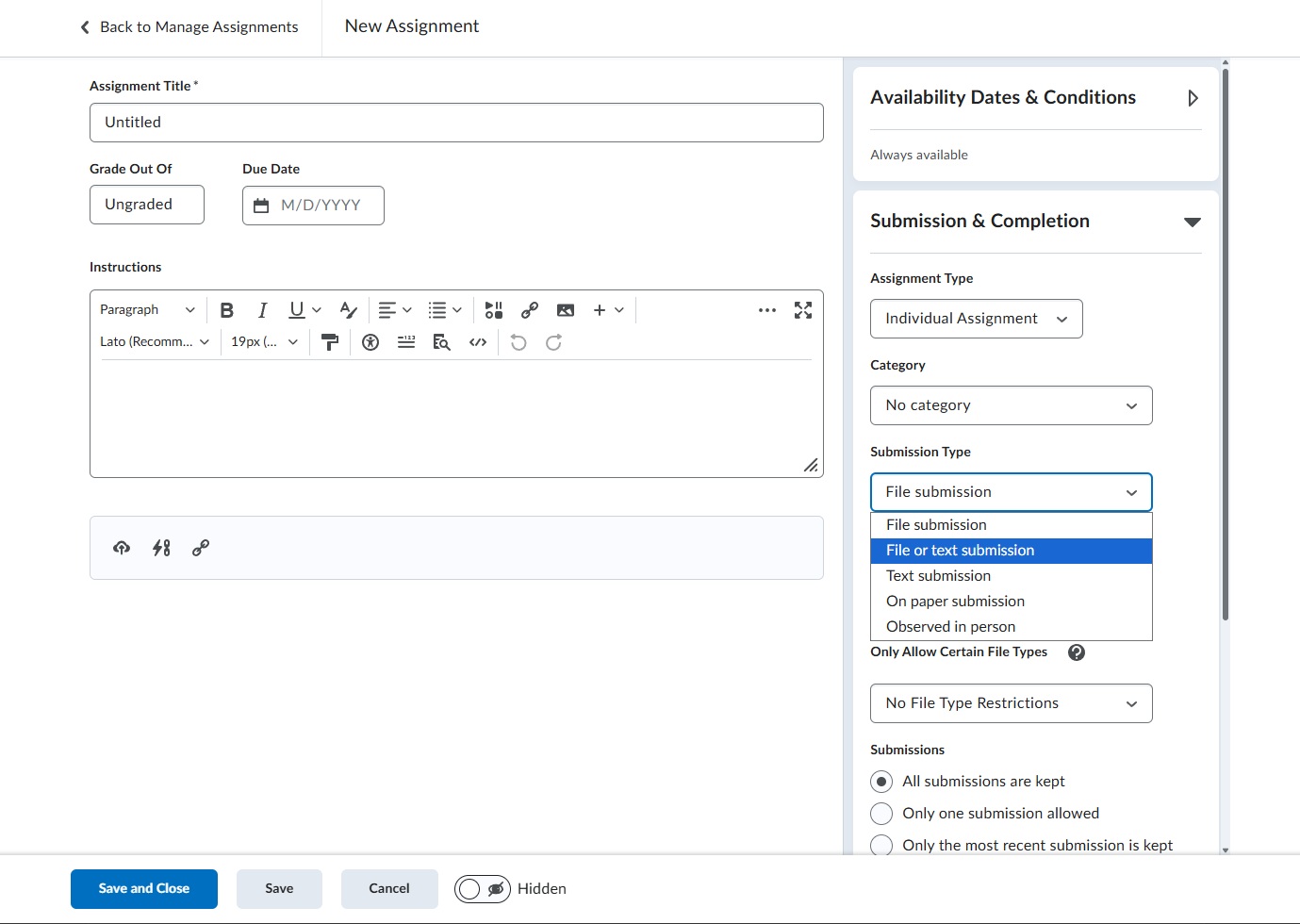
Fortunately, recent changes to the Assignment dropbox in VIULearn make collecting these assignments much more flexible. Your dropbox can now be set up to allow both “File and Text submissions”. Previously, restricting submission types to either file or text could cause issues when students tried to submit their video assignments, but this new option makes the process easier. Students can now easily submit either a direct video file or a hyperlink to a video uploaded to VIUTube.
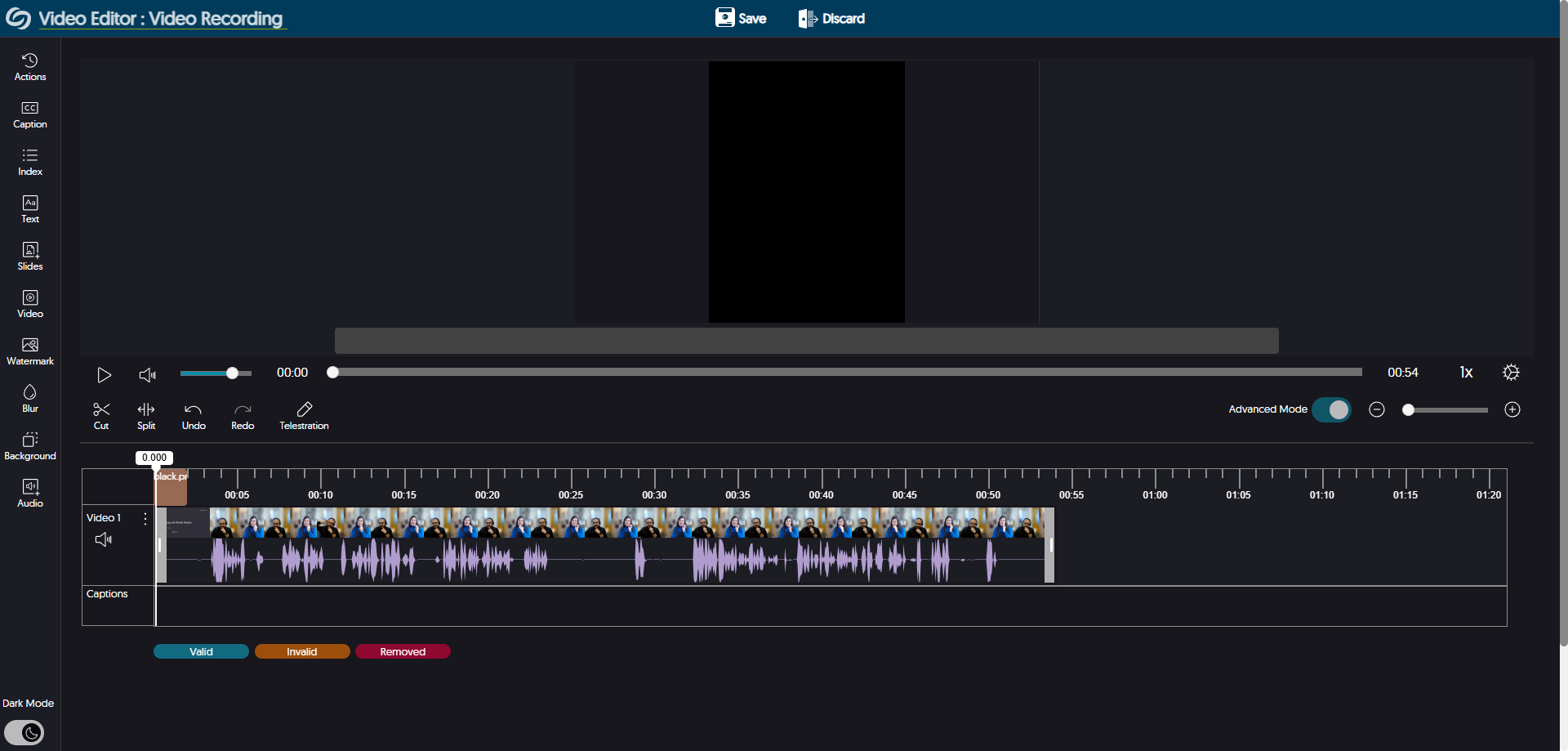
Video assignments using VIUTube and VIULearn follow particular workflows to create, upload, and submit videos. By following our tutorials, these workflows can easily by achieved by students. But what if you wanted to create a more complex videos that require editing? Learning how to edit videos using the tools provided by VIUTube can take time and could require a different level of support than a simple video. Instructions and expectations for what a video should be for your assignment should be clear enough for students to understand what level of editing is required to accomplish the assignment. If you do choose to include editing as part of your assignment, however, we do have resources that can help students navigate those tools in VIUTube.
Finally, we have created resources and tutorials for instructors on how to create video assignments and for students on how to record and share videos. These can be linked in your course and can be referred to by students if they get stuck at any point of your video assignment.
For Instructors:
For Students:
Upload VIUTube Media Using a Mobile Device
Students can also contact us at learnsupport@viu.ca or 250.740.6179 if there’s any issues while recording or trying to share or submit their videos.